
Circle it
Circle anything. Say why.
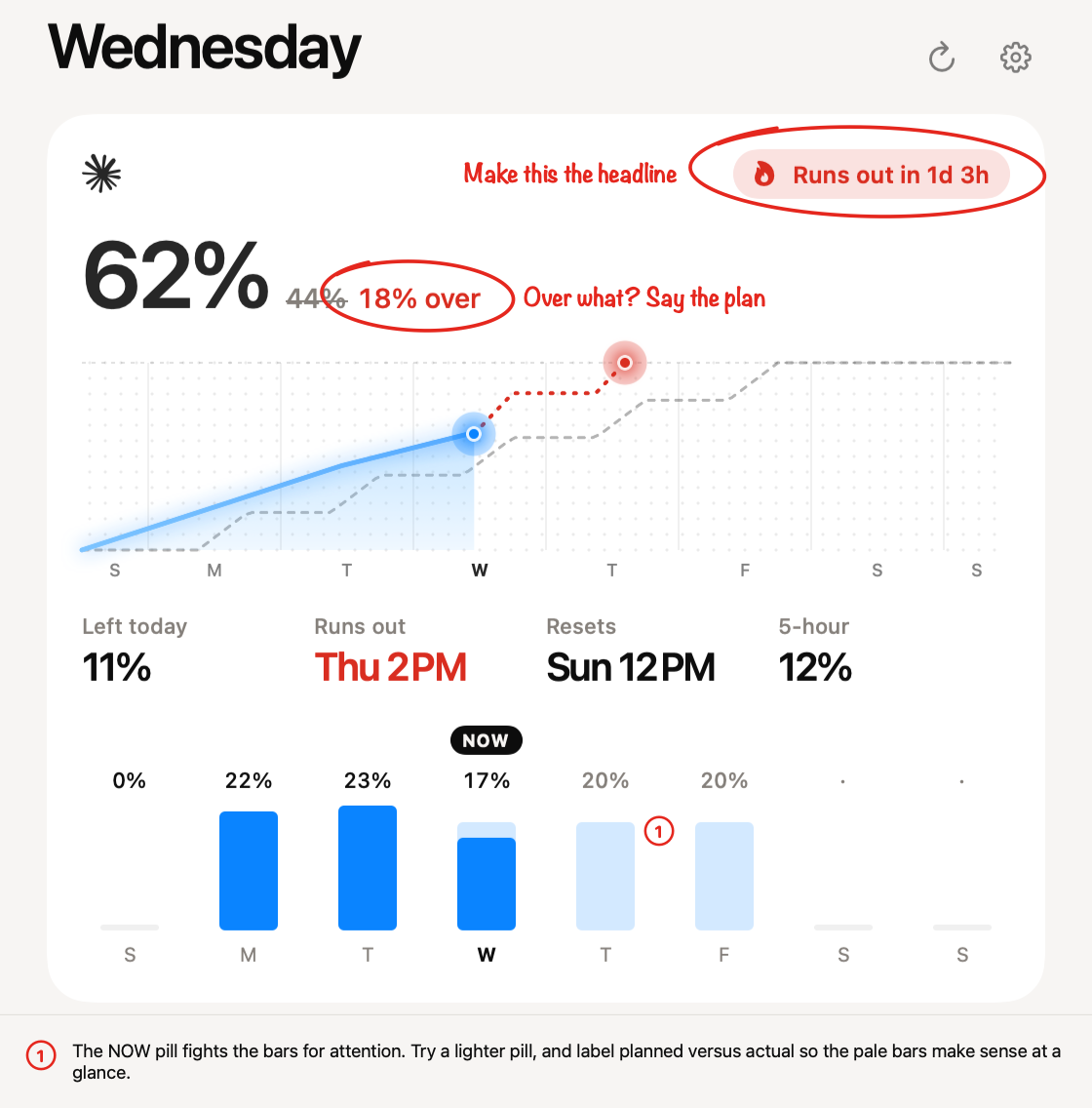
Your scribble becomes a clean red circle, and Redpen starts listening. What you say is written right beside it. Click anywhere to leave a note there instead.
Talk it through
Long notes go under the image.
Talk as long as you like. Long notes move below the screenshot, numbered to match the mark, so a model reads them as plain text.
Screenshots
Take a screenshot. Redpen asks.
New screenshots, from this Mac or your iPhone through iCloud Photos, turn the menu bar loop red, and one notification asks after a burst. Or pick images from Photos.
Voice
Circle it. Say why.
Redpen listens as soon as you circle, and writes your words beside the mark when you pause. Speech becomes text on your Mac with Parakeet. Nothing is sent anywhere.